By Nikhil Kumar. Last updated October 2026.
You want to read every comment on a TikTok video, and maybe get them into a spreadsheet. TikTok gives you neither: just an endless scroll and no export button.
A TikTok comment viewer reads all the public comments on a video so you do not have to scroll, and the useful ones also let you export. To view a handful, scroll the app. To read them all or get them into CSV or JSON for analysis, send the video URL to a TikTok comments API and take the whole set back as structured data. On ScraperSocial that is one GET request, 1 credit per comment returned.
How do you view all comments on a TikTok video?
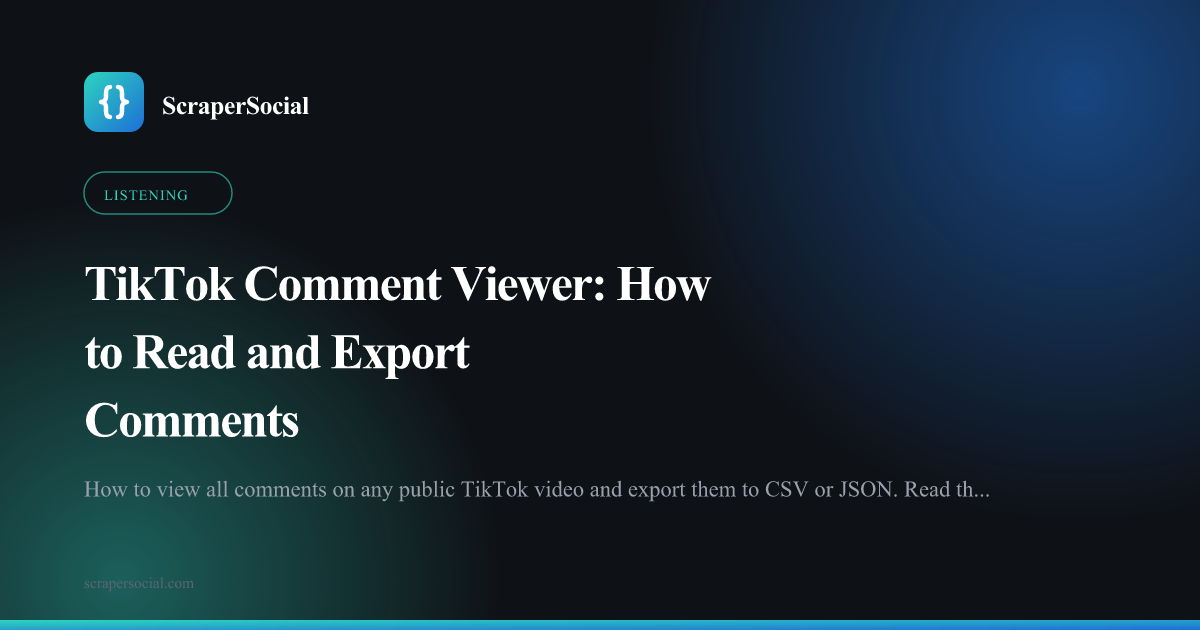
Read them through an API instead of scrolling. The TikTok app shows comments in its own ranked order and makes you scroll to load more, which is fine for a quick look and useless past the first dozen. A comments API takes the video URL and returns the public comments as a JSON array in one call, with the text, the commenter’s handle, the like count, the reply count, and the timestamp on each.
For a single video, a free browser viewer will read the comments back for a one-off. The moment you need more than one video, or a saved copy, you want the API.
The gap the app leaves is real. There is no “see all comments” view and no way to keep what you read, so any comment section bigger than a screen is effectively locked to manual scrolling.
How do you export TikTok comments to CSV or JSON?
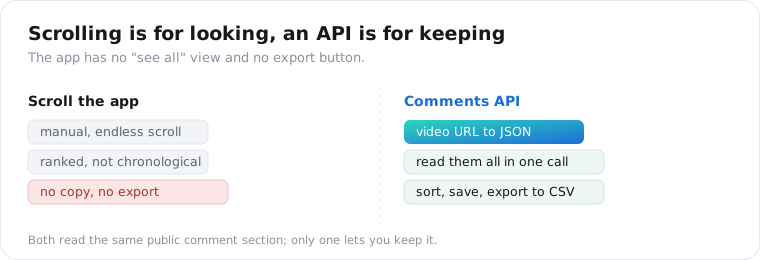
Pull them as JSON, then write the rows to a file. The API hands you an array of comment objects, so exporting to CSV or Excel is a few lines once you have the response. There is no export in the TikTok app itself, which is why every comment-export tool is reading the public section on your behalf.
Here is the whole thing, pull and export, in one script.
import csv, requests
r = requests.get(    "https://api.scrapersocial.com/v1/tiktok/comments",    params={"url": "https://www.tiktok.com/@user/video/123", "limit": 50},    headers={"Authorization": "Bearer sk_live_..."},)comments = r.json()["data"]
with open("tiktok_comments.csv", "w", newline="", encoding="utf-8") as f:    w = csv.DictWriter(f, fieldnames=["author", "text", "likes", "replies", "posted_at"])    w.writeheader()    for c in comments:        w.writerow({k: c.get(k) for k in w.fieldnames})
No login, no session cookie, no browser to babysit.
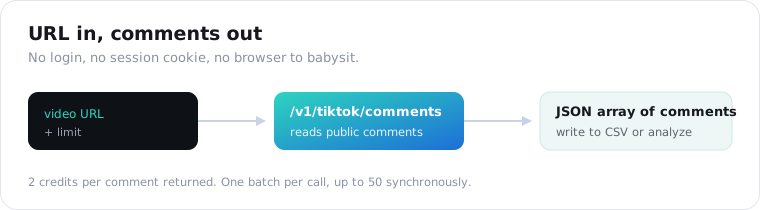
One thing to set on every call: limit. It defaults to 20 and you are billed per comment returned, so limit is your budget dial, not an afterthought.
What does a TikTok comment look like as JSON?
A flat object per comment: text, author, likes, replies, timestamp. Every comment comes back with a stable id, the text as typed (emoji included), the commenter’s author handle, the public likes count, a replies count, and an ISO posted_at. The array is ordered the way TikTok surfaces comments, so the most-liked tend to lead rather than the newest.
{ "data": [ { "id": "7123456789", "text": "this actually worked, thank you", "author": "someuser", "likes": 412, "replies": 7, "posted_at": "2026-08-02T14:11:00Z" } ], "meta": { "count": 50 }, "request_id": "a18e4ef88ad4b00b"}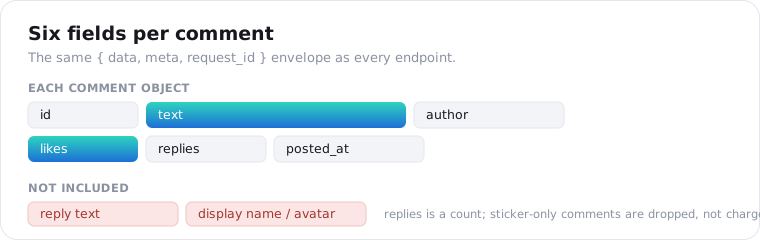
Two honest gaps. Sticker-only and emoji-image comments carry no text, so they are dropped before the response and never cost you a credit. And replies is a count only; the reply text is not returned, and there is no separate replies endpoint.
How much does it cost, and how many can you pull?
1 credit per comment, and up to 50 in one call. You pay for the comments actually returned, so a 20-comment default call is 20 credits, about 10 cents on the monthly plan, and a video with comments turned off returns an empty array, free for the first 25 empty results a day and 1 credit after that. Fifty is the ceiling per video, so a ten-video sweep at the cap is 500 credits, about $2.50.
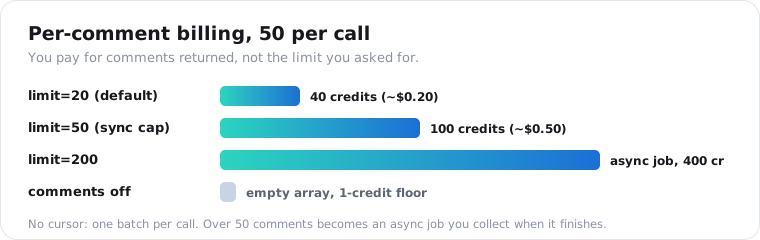
Here is the cost math at a glance.
| You request | You get back | Credits | Monthly cost |
|---|---|---|---|
| limit=20 (default) | up to 20 comments | 20 | ~$0.10 |
| limit=50 | up to 50 comments | 50 | ~$0.25 |
| 10 videos, limit=50 each | up to 500 comments | 500 | ~$2.50 |
| comments disabled | empty array | 0 (1 after 25 empties a day) | $0 |
If you only need the count, not the text, the TikTok stats endpoint returns a comment counter for 1 credit flat, far cheaper than pulling the comments themselves.
What can you do with TikTok comment data?
Read the room at a scale you cannot reach by hand. Comment text plus like count is a weighted signal: a complaint with 4,000 likes matters more than one with none. That makes exported comments the raw material for sentiment analysis, FAQ mining, brand-mention tracking, and moderation sweeps on videos you sponsored.
The FAQ-mining use is my favorite, because it is nearly free content research.
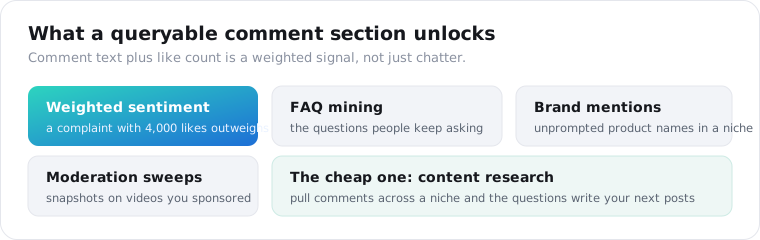
Pull the comments under a set of videos in one niche and the questions people keep asking write your next posts for you.
What are the limits and compliance notes?
Public only, ranked not chronological, and personal data. The viewer reads public videos and public comments the way a logged-out visitor sees them, so private, deleted, and region-blocked videos return an error, and errors are not charged. Comments arrive in TikTok’s engagement order, so sort on posted_at yourself if you need a timeline.
Repeat calls hit the documented cache and return fast; pass fresh=true when monitoring a live video.
The compliance line matters here. Comment text and handles are user-generated data about identifiable people, so storing them puts you in scope for GDPR and CCPA. Keep only what you need, hash or drop the handle for aggregate work, and keep a deletion path. This is not legal advice.
The short version
To view a few TikTok comments, scroll the app. To read them all or export to CSV or JSON, send the video URL to a comments API and take back an array you can sort, save, and analyze. It is 1 credit per comment, up to 50 in one call, public comments only, ordered by TikTok’s engagement ranking. That is enough to run sentiment, mine FAQs, and track mentions without scrolling a single feed.
Frequently asked questions
How do I view all comments on a TikTok video?
Open the video and scroll, which works for a handful of comments, or send the video URL to a TikTok comments API and read the whole set back as structured data. Scrolling in the app shows comments in TikTok’s ranked order and never gives you an exportable copy; an API returns each comment as JSON with the text, author, likes, and timestamp in one call.
How do I export TikTok comments to CSV or Excel?
Pull the comments as JSON from an API, then write the rows to a file. With ScraperSocial you send the video URL to /v1/tiktok/comments, get an array of comment objects back, and dump them to CSV in a few lines of Python. There is no built-in export in the TikTok app, so getting comments into a spreadsheet means going through an API or a browser tool.
How much does it cost to pull TikTok comments?
1 credit per comment returned, about half a cent each on the monthly plan, so a default 20-comment call is roughly 10 cents. You pay for the comments actually returned, not the limit you asked for, so a video with fewer comments costs less and a video with comments disabled returns an empty array, which is free for your first 25 empty results each day.
Can I get TikTok comments without an account?
Yes. A comments API reads the public comment section the same way a logged-out visitor sees it, so there is no TikTok login, no session cookie, and no app. It reaches only public videos and public comments; private, deleted, or region-blocked videos return an error, and errors are not charged.
How many comments can I pull from one TikTok video?
Up to 50 in a single call, which is the cap. There is no cursor or page token, so it is one batch per call, and most sentiment or FAQ work is well served by the top 50 comments TikTok surfaces.
Does a TikTok comment viewer show replies?
Usually not the reply text. This API returns top-level comments plus a reply count for each, but not the replies themselves, and there is no separate replies endpoint. If threaded back-and-forth is central to your analysis, know that going in: you get the top layer of the conversation and how many responses sit under each comment.
Export a video’s comments
Pick one video whose comment section you actually want to read. Send its URL to the TikTok comments endpoint, take back the JSON, and write it to a CSV with the script above. The Instagram comments guide shows the same pattern on another platform, the social listening post turns it into a pipeline, and 25 free credits are enough to export a real video’s top comments before you decide.